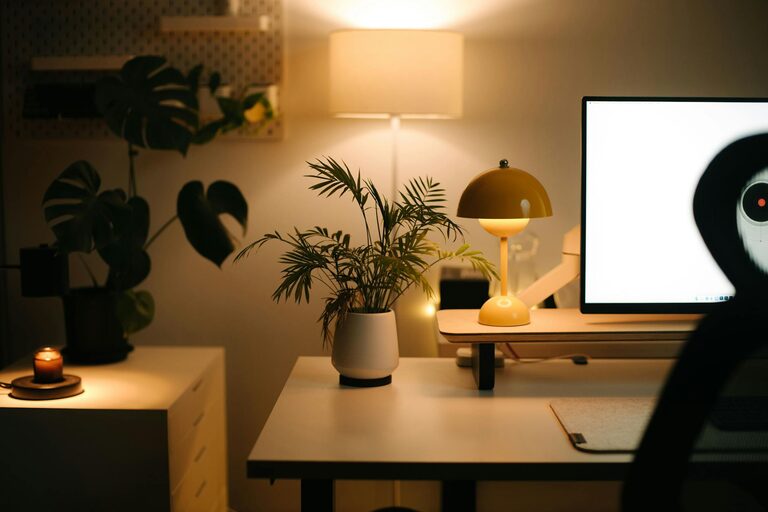
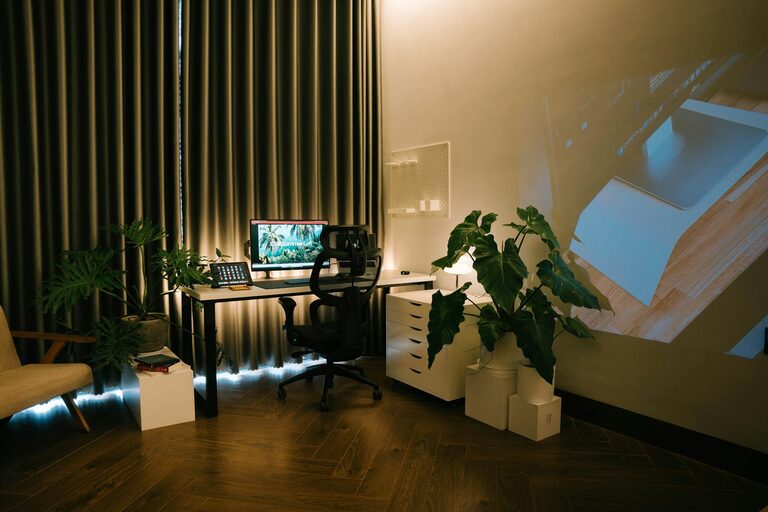
Creating a productive and comfortable home office space can make a significant difference in your work-from-home experience. Whether you work remotely full-time or occasionally need a dedicated area for focused tasks, having a well-designed workspace helps improve concentration, reduces stress, and boosts efficiency. Here are some practical tips to help you create the perfect home office tailored to your needs.
Choose the Right Location
The first step in setting up your home office is selecting an ideal spot. Ideally, your workspace should be:
– Quiet: Choose a quiet area away from household noise and distractions.
– Natural Light: Position your desk near a window to benefit from natural light, which can improve mood and focus.
– Ventilated: Proper air circulation helps keep you alert and refreshed.
– Private: If possible, pick a room where you can close the door to signal ‘work mode’ and avoid interruptions.
If space is limited, even a corner in your living room or bedroom can work with some clever organizing.
Invest in Ergonomic Furniture
Comfort plays a crucial role in productivity. Uncomfortable furniture can cause discomfort and impact your health over time.
– Ergonomic Chair: Look for a chair with adjustable height, lumbar support, and comfortable cushioning to support good posture.
– Adjustable Desk: A desk that fits your height or an adjustable standing desk can help reduce strain on your back and neck.
– Monitor Placement: Position your computer screen at eye level and about 50-70 cm away from your eyes to avoid neck strain and eye fatigue.
Consider investing in a footrest or ergonomic keyboard and mouse to further enhance comfort.
Organize with Purpose
A cluttered workspace creates distractions and slows you down. Keep your home office organized by:
– Using Storage Solutions: Shelves, drawers, and desk organizers help keep supplies within reach but out of sight.
– Minimizing Desk Items: Only keep essentials on your desk to maintain a clean and inviting workspace.
– Cable Management: Use cable clips or sleeves to keep cords tidy and prevent tangling.
– Digital Organization: Keep your computer desktop and files organized for easy access to documents.
Regularly tidying your workspace can cultivate a positive and focused mindset.
Optimize Lighting
Good lighting reduces eye strain and enhances your ability to concentrate.
– Balance Natural and Artificial Light: Use a combination of daylight and adjustable lamps.
– Task Lighting: A desk lamp with adjustable brightness can illuminate your work area without glare.
– Avoid Screen Glare: Position your monitor perpendicular to windows or light sources to prevent reflections.
Choosing bulbs with a neutral white light (around 4000K) helps create an environment that is neither too harsh nor too cozy.
Maintain a Comfortable Temperature and Air Quality
Working comfortably for hours depends on a pleasant room temperature and fresh air.
– Temperature Control: Try to keep your office around 20-22°C, which is optimal for concentration.
– Air Quality: Open windows regularly, use a fan, or consider an air purifier to keep fresh air circulating.
– Add Plants: Indoor plants not only improve air quality but also create a calming atmosphere.
Personalize Your Space
Adding personal touches makes your workspace more inviting and can motivate you throughout the day.
– Artwork or Photos: Display items that inspire or relax you, but keep it minimal to avoid distractions.
– Colour Scheme: Use calming or neutral colours that help maintain focus, such as soft blues or greys.
– Comfort Items: A cozy throw blanket or a small cushion can enhance comfort during long work sessions.
Set Boundaries and Maintain Routine
Once your workspace is set up, developing routines and boundaries can help you separate work time from personal time.
– Work Hours: Keep consistent start and end times to cultivate discipline.
– Breaks: Schedule regular breaks to stretch, hydrate, or refresh.
– Workspace Use: Use your office space only for work to mentally separate tasks from leisure.
Invest in Technology and Connectivity
Reliable equipment and internet access are necessary for productivity.
– High-Speed Internet: Ensure your connection supports video calls and online collaboration seamlessly.
– Quality Equipment: Invest in a good headset, microphone, and webcam for clearer communication.
– Backup Solutions: Regularly save work and consider cloud storage services to avoid data loss.
Conclusion
Creating a home office that supports both productivity and comfort is about thoughtful choices in location, furniture, lighting, and organization. By setting up a space suited to your work style and physical needs, you can enjoy a more focused and enjoyable workday from home. Remember, small adjustments add up over time to make your home office a place where you look forward to working.